All CNAPS Studio release notes
Release Overview
CNAPS Studio v1.2.0 is a design + audio release:
- Full UI redesign across Studio, Community, and Home — with dark / light / system themes and full mobile support.
- Card system overhaul — real-output thumbnails, pre-filled sample inputs.
- Audio as a first-class modality — Sound Loader / Sound Output nodes plus ACE-Step 1.5, the studio's first text-to-music model.
- Four new models/tools — PowerPaint, Moebius, ACE-Step 1.5, Video-KenBurns.
✨ What's New
Major Improvements
1️⃣ Design Overhaul — Studio, Community, and Home
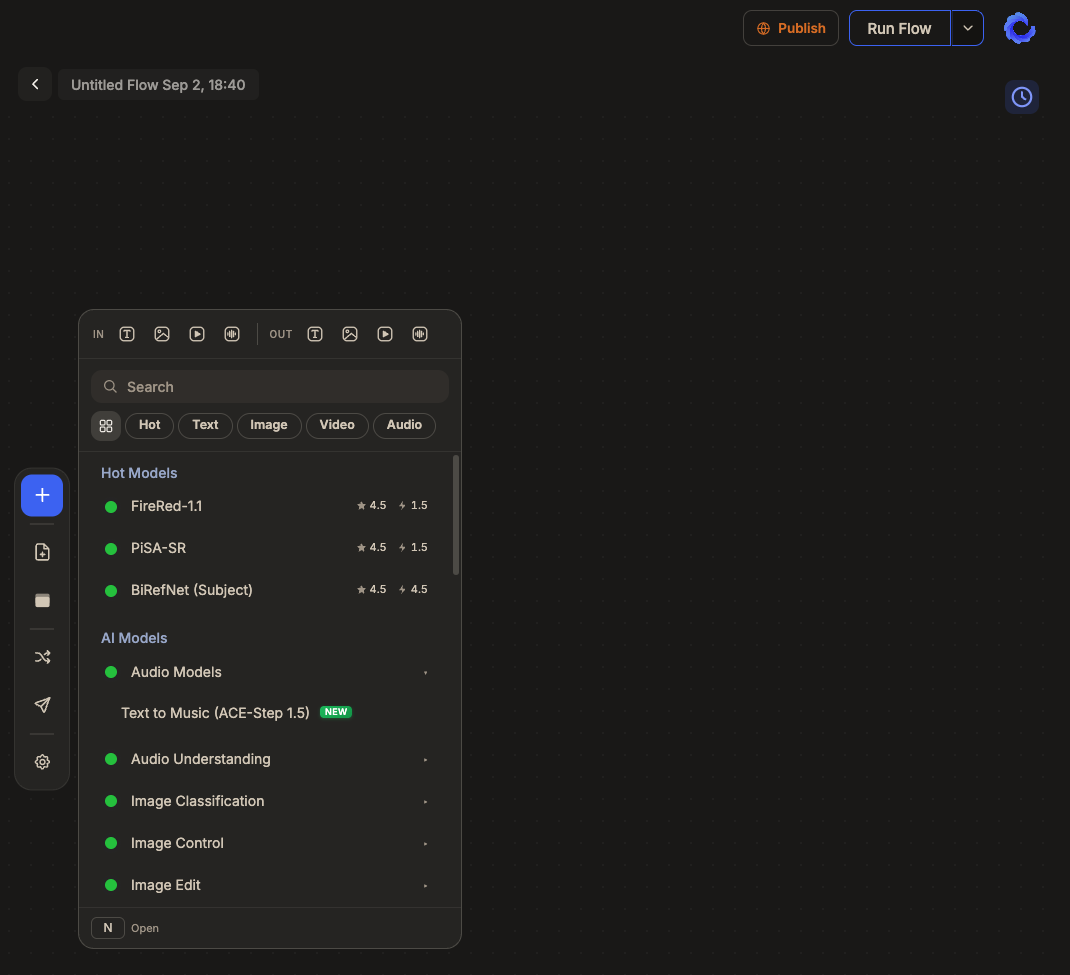
The Studio work canvas, Community, and Home have been fully redesigned.
- Left toolbar: only one panel open at a time → wider canvas
- Dark / Light / System theme selection
- Mobile now uses the full screen
- Home has a top-bar search that jumps straight to a card
- Community post detail restructured to match the card execution screen
- Community feed image/video loading is significantly lighter
2️⃣ Card System — Real Thumbnails, Sample Inputs, Snapshot Sharing
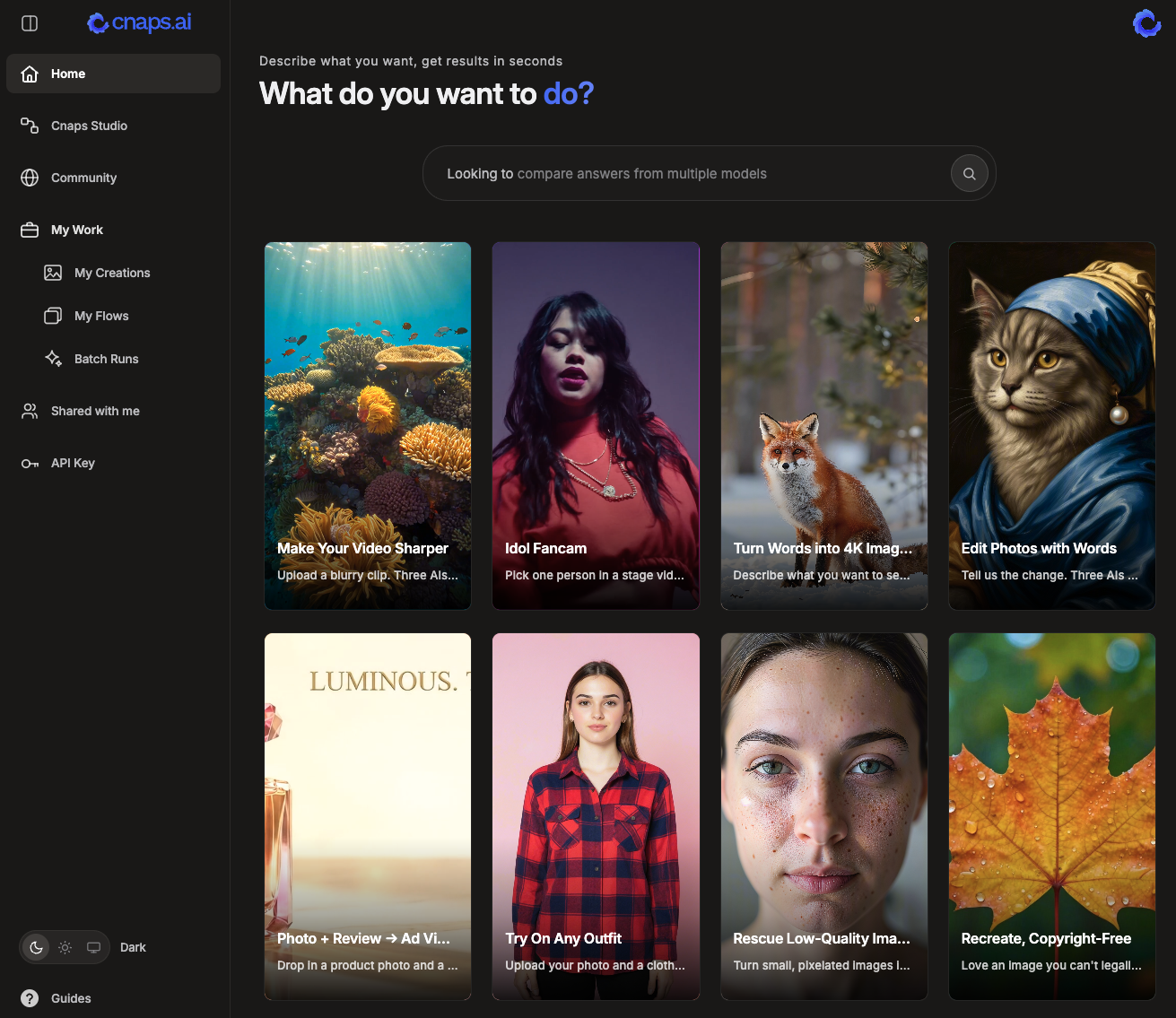
Cards get a substantial upgrade in v1.2.0:
- Real-output thumbnails — the card list shows what that card actually produced
- Sample inputs pre-filled — open a card and hit Run immediately
- Creator-chosen result layout — card makers pick how outputs are displayed
- Scene / person picker on video cards — one click to specify which scene, which person
- Snapshot-based sharing — every card runs a copy of the flow at creation time. Editing the original flow no longer changes cards already shared.
3️⃣ Audio as a First-Class Modality — Sound Loader + Sound Output + Text-to-Music
Audio now travels through flows the same way images and video do. Two new nodes plus a new music model form the layer:
- Sound Loader (input) — upload audio files or record from the browser mic (real-time waveform; Chrome/Firefox record as WebM, Safari as MP4)
- Sound Output — inline audio player with waveform; falls back to the browser's native player on decode errors
- ACE-Step 1.5 — text-to-music, 48 kHz stereo, up to 10 minutes per generation (see New AI Models & Tools)
New AI Models & Tools
1️⃣ AI Model - ACE-Step 1.5 — Text-to-Music (48 kHz Stereo, Up to 10 Minutes)
The first text-to-music model in CNAPS Studio. Give it a style prompt and get back a finished piece of music — 48 kHz stereo, anywhere from 10 seconds to 10 minutes in one generation. Add optional lyrics with [Verse] / [Chorus] tags and the model sings them; leave lyrics empty for an instrumental.
Use it for background music on product videos, demo reels, and course modules; sung vocals (not spoken); full-length tracks in one pass. Fast iteration via the XL Turbo checkpoint — 8 denoising steps (guidance-distilled), practical to generate several variations per prompt. Pipes into this release's new Sound Output node for inline playback with waveform, or into video editing tools for scoring. MIT weights
2️⃣ AI Model - Moebius — Fast Mask-Based Object Removal (0.22B Parameters)
A new specialized removal model from HUST Vision Lab + VIVO AI Lab (ECCV 2026). Give it an image and a mask; it removes what's inside and rebuilds the background in 2–3 seconds. No text prompt — Moebius uses a learned embedding table instead. At 0.22B parameters (roughly 2% the size of FLUX.1-Fill-Dev), authors report matching or beating that 11.9B model's quality across six benchmarks while running 15× faster.
Use it for VFX cleanup (wires, rigs, unwanted tourists, edge artifacts, reflections) or batch removal at volume. Pairs with SAM 3.1 or a face detector to generate masks automatically — no painting required. MIT weights, Apache 2.0 code.
3️⃣ AI Model - PowerPaint — Four Editing Jobs in One Node
A versatile inpainting model from open-mmlab / Shanghai AI Laboratory (ECCV 2024). Draw one mask, pick what should happen inside it, and PowerPaint runs the appropriate mode on the same weights:
- Remove — erase and rebuild background from context
- Text-guided fill — generate a described object in the mask
- Outpaint — extend the image past its original border
- Shape-guided fill — generate an object that conforms to the mask outline (with a fitting-degree dial)
SD 1.5-class with a BrushNet-style conditioning branch. Apache 2.0 weights, MIT code. Rounds out the studio's inpainting lineup alongside QWEN-Inpaint (v1.1.7) and Moebius (this release).
4️⃣ Tool - Ken Burns (Still to Video) - Turn a Still Image into a Video
Turn a still image into a video with a moving crop window — the classic Ken Burns effect documentary filmmakers use to bring photographs to life. Pick a camera move (Push In, Pull Out, or four Pan directions — L→R, R→L, T→B, B→T), set the shot length (default 5s) and frame rate (default 30 fps), and get a video-ready animated version of any still.
- Motion strength — default 12% of the frame; tune from barely-there (3–6%) to aggressive (30–50%)
- Motion curve — Ease In-Out (default, cinematic) or Linear (constant rate, good for scanning documents)
- Hold mode — no motion, useful as a "still-in-a-video-pipeline" adapter
- Advanced — set exact opening / closing crop windows as
x,y,w,hfractions for precise framing (wide hero → tight face-reveal, etc.)
Great for photo montages, podcast covers, thumbnail-to-motion repurposing, landscape reveals, and any static asset that needs to work in a video-first feed. Pairs with Video Concat downstream for multi-still slideshow sequences.
Platform Improvements
1️⃣ FlashVSR Upscaling Quality & Speed
FlashVSR now produces sharper, more detailed upscaled video. A technical limitation in the production environment had been causing fine details — like hair strands and skin texture — to appear smoothed over. This has been resolved, and output quality now matches what the model was originally designed to deliver.
Processing is also about 40% faster across all input sizes.
2️⃣ Faster First Load — ~40% Smaller Payload, Server-Rendered Home
- First-page load payload reduced by ~40%
- Home screen server-side pre-rendered — first paint is significantly faster
- Improved image / video / font transfer
3️⃣ Free Plan API Keys + MCP Community Search & Fork
- Free plan users can now generate API keys — previously Pro-only
- MCP clients (Claude, etc.) can now search Community and fork cards directly from chat
4️⃣ Desktop App — Session Expiry Matches Server Policy
Desktop app sessions now expire in line with the server-side session policy, fixing an inconsistency between web and desktop sign-outs.
🔧 Bug Fixes
- Home Card List Stuck Loading: the home card list occasionally hung mid-load. Fixed
- Results Only Visible After Refresh: a run that finished successfully still required a manual page refresh to show results. Fixed
- Draft Content Lost on Disconnect: in-progress content was being dropped when the connection dropped. Fixed
- Client Stuck in Reconnect Loop: the client would keep retrying to reconnect and hang instead of surfacing the failure. Fixed
- False "Flow Not Found": users with valid view permission were seeing "flow not found" incorrectly. Fixed
- Wrong Run Time / Credit Usage Numbers: displayed run time and credit-usage figures could be off. Fixed
- Language-Switch Residuals: some UI strings stayed in the previous language after switching. Fixed
- Long Video Upload Failed Mid-Execution: long video uploads were failing during execution. Fixed